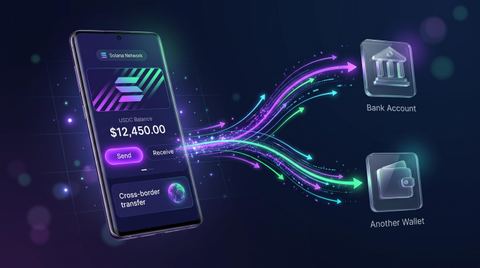

Solana published 11 startup ideas on November 9, from housing futures to AI inference and stablecoin payments. Here is what each one targets, which have real demand, and how to test one fast.
Amir Ali5
Practical Solana guides, SPL token tutorials, and clear crypto market analysis from the team behind Solsmint. Learn how to create, mint, burn, airdrop, and add liquidity — without code.
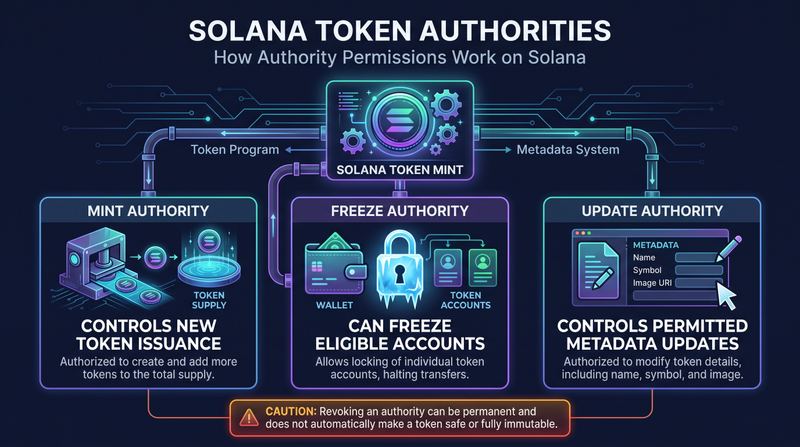
Learn how Solana Mint Authority, Freeze Authority, and metadata Update Authority differ. Understand what revocation changes, what may be irreversible, and what to verify before changing token permissions.
Solana published 11 startup ideas on November 9, from housing futures to AI inference and stablecoin payments. Here is what each one targets, which have real demand, and how to test one fast.
Samsung Wallet now supports USDC on Solana for eligible U.S. Galaxy users. Here is how the integration works, what USDC is, and what it means for stablecoin payments and Solana adoption.
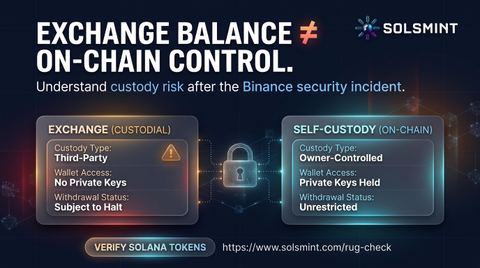
Binance says it arranged more than $6.34 billion to cover losses after attackers drained an estimated $6.3 billion from its hot wallets. About $3 billion in stolen assets have been frozen.
Every guide connects to a working tool. Create a token, manage supply, distribute tokens, or inspect a contract before you trade.
Discover content tailored to your interests across our crypto and blockchain topics.
Connect a Solana wallet to Solsmint, open the token creator, enter the token name, symbol, supply, decimals, and optional logo, then confirm the transaction. The platform handles the SPL token program and metadata for you.
Yes, if you kept the mint authority. Open the Mint tool, paste the token mint address, choose how many tokens to add, and approve the transaction. If mint authority was revoked, the supply is permanently fixed.
Burning permanently removes tokens from circulation by sending them to an unrecoverable address. It reduces supply but cannot be reversed, so verify the mint address and amount before signing.
No. Solsmint Blog publishes educational and informational content. Crypto assets are volatile and you should do your own research before making any financial decision.
Need a deeper answer? Read the full blog archive or contact the editorial team.