Solana Token Authorities Explained: Mint, Freeze, Update, and Revocation
Learn how Solana Mint Authority, Freeze Authority, and metadata Update Authority differ. Understand what revocation changes, what may be irreversible, and what to verify before changing token permissions.

Solsmint
Author
Solana Token Authorities Explained: Mint, Freeze, Update, and Revocation
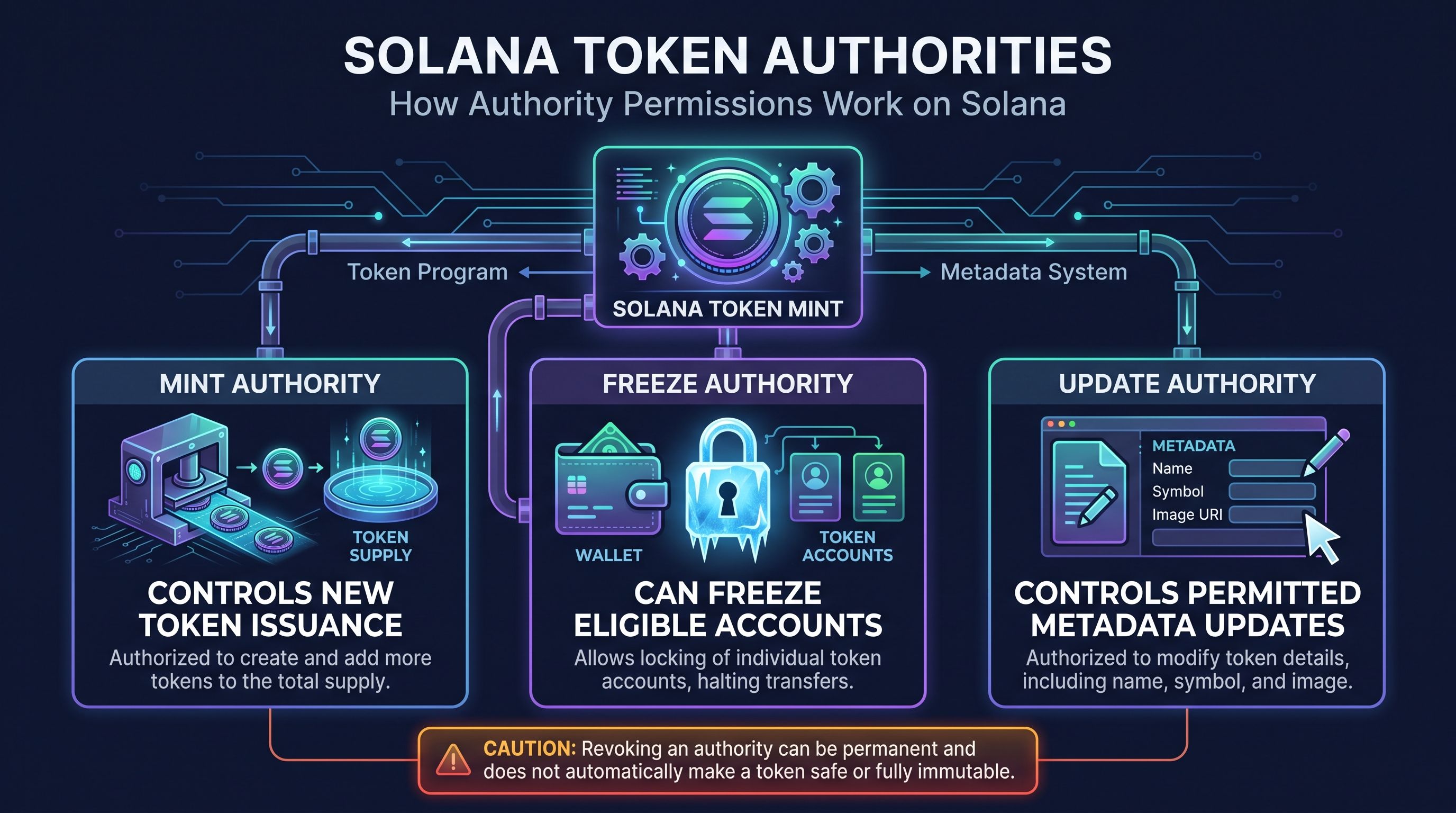
Solana tokens can have several distinct authorities. Mint Authority controls whether additional tokens can be created, Freeze Authority can freeze eligible token accounts, and a metadata Update Authority may be able to change token information under the relevant metadata standard.
These permissions are separate. Revoking one does not revoke the others, make every part of a token immutable, or prove that a project is trustworthy. Before changing an authority, identify the token program and metadata system involved—and understand whether the change can be reversed.
Important: For classic SPL Token and Token-2022, setting an authority to
Nonepermanently removes that authority role. Check the exact token and metadata implementation before approving a transaction.Solana’s Set Authority documentation
What Are Solana Token Authorities?
A token authority is a wallet address or other authorized account permitted to perform a specific action.
In the classic SPL Token program, a mint can have a Mint Authority and Freeze Authority. Token accounts have an owner and may have a close authority. Token-2022 also defines additional authority types for particular extensions. Solana’s Set Authority documentation
An authority is not general control over every aspect of a token. Each role grants specific permissions. For example, Mint Authority can authorize new issuance; it does not automatically control metadata.
When reviewing a token, check its mint address, token program, authorities, and metadata implementation. A token’s name or symbol alone does not reveal its permissions or establish that it is legitimate.
Mint, Freeze, and Update Authority
These are distinct permissions. Mint and Freeze Authority are associated with the token mint, while metadata permissions belong to the applicable metadata system. Solana’s Set Authority documentation Metaplex’s Token Metadata documentation
What Is Mint Authority on Solana?
Mint Authority is the permission to create additional units of a token. Under Solana’s token programs, only the Mint Authority can mint new tokens, and minting increases the mint’s total supply. Solana’s Mint Tokens documentation
A project might retain this authority for a planned issuance schedule, such as distributing rewards over time. That flexibility also means supply can increase, so the project should clearly explain who controls the authority and why it remains active.
If a project intends to issue no more tokens, it may consider revoking Mint Authority after confirming that all planned supply and distributions are accounted for.
What happens when Mint Authority is revoked?
Setting Mint Authority to None means that authority can no longer authorize new token issuance. The existing supply remains; revocation does not burn or remove tokens already held in token accounts. Solana’s SetAuthority instruction can set an authority to None, permanently removing the selected role. Solana’s Set Authority documentation
For example, after creating the intended supply, a project might revoke Mint Authority to prevent future minting through that role. It would then be unable to use that authority to issue additional rewards later.
A revoked Mint Authority does not make the entire token immutable or automatically trustworthy. Other authorities, metadata settings, Token-2022 extensions, and project-level controls may still matter.
What Is Freeze Authority on Solana?
Freeze Authority can freeze eligible token accounts for a particular mint. A frozen account cannot receive, transfer, or burn tokens until it is thawed. Solana’s Freeze Account documentation
This is an account-level control, not a mechanism for freezing every token on Solana. The authority applies to accounts associated with the relevant mint and token program.
A project should retain Freeze Authority only when it has a clear reason and communicates that permission to users. Holders need to understand who controls it and under what circumstances it may be used.
What happens when Freeze Authority is revoked?
Revoking Freeze Authority prevents that authority from freezing additional accounts for the mint. It does not automatically unfreeze accounts that were already frozen. Solana’s documentation states that accounts for a mint can no longer be frozen once the mint’s Freeze Authority is revoked. Solana’s Freeze Account documentation
If accounts are already frozen, learn how they can be thawed before revoking the authority. Do not assume that removing the permission reverses an account’s existing state.
What Is Update Authority?
Update Authority is a metadata permission, not the classic SPL Token program’s Mint Authority or Freeze Authority. Its exact powers depend on the metadata program, token standard, and asset configuration.
For example, Metaplex Token Metadata allows an asset’s Update Authority to update its metadata when the asset is mutable. The available changes depend on the implementation and the asset’s settings. Metaplex’s guide to updating Token Metadata
Metadata may include a name, symbol, URI, or other asset information. Updating metadata does not itself mint or burn tokens and does not change token supply.
Before changing or relinquishing metadata authority, identify the metadata standard and confirm whether the asset is mutable. Not every Solana token uses the same metadata mechanism.
Revoke, Transfer, or Retain?
These are different choices:
-
Retain an authority: Keep the current permission active.
-
Transfer an authority: Assign that permission to a different address, if supported by the relevant program.
-
Revoke an authority: Remove that permission, typically by setting it to
None.
Transferring an authority does not remove the permission; it changes who controls it. A project might use a controlled wallet or multisig, but the authority still exists.
For classic SPL Token and Token-2022, changing an authority uses the Token Program’s SetAuthority instruction. Each instruction changes one authority type on one mint or token account, and the current authority must approve the change. Solana’s Set Authority documentation
Can a revoked authority be restored?
Generally, when an authority is set to None, the former authority holder cannot simply restore it under that token program’s authority model. Verify the relevant program and transaction before signing. Metadata systems may have different rules, so do not assume their behavior is identical to Mint or Freeze Authority.
Should You Revoke Solana Token Authorities?
There is no single configuration that fits every project. The decision depends on the token’s purpose, operating model, holder expectations, and the specific program features in use.
Before retaining, transferring, or revoking an authority, ask:
-
Is the mint using classic SPL Token or Token-2022?
-
Which exact permission are you changing?
-
Does the project have a documented need to retain it?
-
Who controls the current authority wallet?
-
Would transferring it to another controlled address meet the need?
-
What becomes impossible if the authority is removed?
-
Are any token accounts already frozen?
-
Which metadata program or standard is in use?
-
Have you verified the mint address and transaction details?
-
Have you explained the decision to users?
If a change is irreversible, take time to review the consequences. Where possible, test the workflow and have another trusted person check the transaction before signing.
Common Mistakes to Avoid
Confusing Mint Authority with Update Authority
Mint Authority controls token issuance. Update Authority concerns metadata under a separate system. Revoking one does not necessarily change the other.
Assuming fixed supply makes everything immutable
Revoking Mint Authority prevents future minting through that role. It does not necessarily make metadata immutable or remove every other permission.
Assuming revocation proves trustworthiness
Revocation changes a specific technical permission. It does not verify a team, guarantee fair distribution, or eliminate all project risks.
Assuming revocation unfreezes accounts
Revoking Freeze Authority prevents future freezes through that authority. Accounts already frozen may still require a separate thaw action. Solana’s Freeze Account documentation
Ignoring token-program and metadata differences
Classic SPL Token, Token-2022, and metadata programs may have different features and authority behavior. Check the documentation for the exact implementation.
How Solsmint Fits In
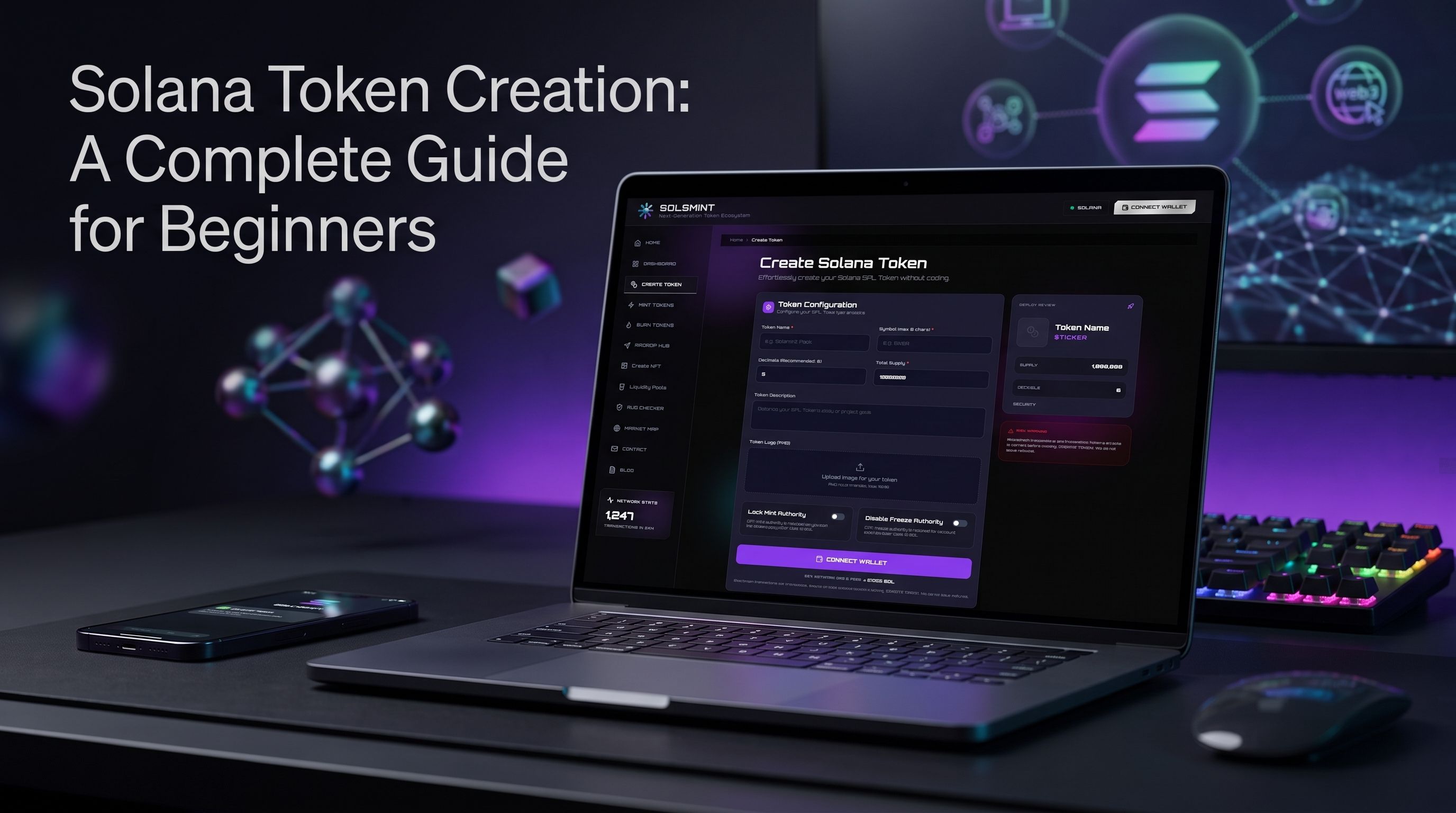
Solsmint is a no-code Solana SPL token creation and management platform. Its supported areas include token creation, minting, burning, airdrops, liquidity, NFT creation, token management, and token research.
If you are preparing a token, review the settings available in the Solsmint token creation workflow before launch. This article explains authority concepts for education; it does not claim that Solsmint supports post-launch authority revocation, authority transfer, metadata updates, or unfreezing accounts.
For related workflows, see minting tokens, burning tokens, and the Solsmint FAQ.
Frequently Asked Questions
What are Solana token authorities?
Solana token authorities are accounts authorized to perform specific actions, such as minting tokens, freezing token accounts, or updating metadata under a separate metadata standard.
What does Mint Authority control?
Mint Authority authorizes the creation of additional units of a token under the applicable token program. Revoking it prevents future minting through that authority. Solana’s Mint Tokens documentation
What does Freeze Authority control?
Freeze Authority can freeze eligible token accounts for a mint. A frozen account cannot receive, transfer, or burn tokens until it is thawed. Solana’s Freeze Account documentation
What is Solana Update Authority?
Update Authority is a metadata permission defined by the relevant metadata program or asset standard. It may allow metadata changes when the asset is mutable. Metaplex’s Token Metadata documentation
Does revoking Mint Authority burn the remaining supply?
No. Revoking Mint Authority prevents future minting through that role; it does not remove tokens that have already been created.
Does revoking Freeze Authority unfreeze existing accounts?
No. Revocation prevents future freezes through that authority. Existing frozen accounts may need to be thawed separately. Solana’s Freeze Account documentation
Can a revoked Solana authority be restored?
Generally, an authority set to None cannot simply be restored by its former holder under the relevant token program. Verify the program and metadata standard before making changes. Solana’s Set Authority documentation
Does revoking authorities make a token safe?
No. Revocation removes specific permissions but does not guarantee security, project legitimacy, fair distribution, or trustworthy behavior.
Conclusion
Mint Authority, Freeze Authority, and metadata Update Authority control different permissions. Mint Authority affects future supply, Freeze Authority affects eligible token accounts, and Update Authority concerns metadata under the applicable metadata system.
Before making changes, identify the token program and metadata standard, understand whether the action is reversible, and verify the mint address and transaction. Revocation can remove a permission, but it is not a substitute for broader security and project due diligence.
If you are creating a Solana token, review its authority settings as part of your launch plan—not as an afterthought.
About Solsmint
Crypto enthusiast and blockchain analyst with expertise in the Solana ecosystem. Passionate about educating others on the potential of decentralized technologies and DeFi innovations.